
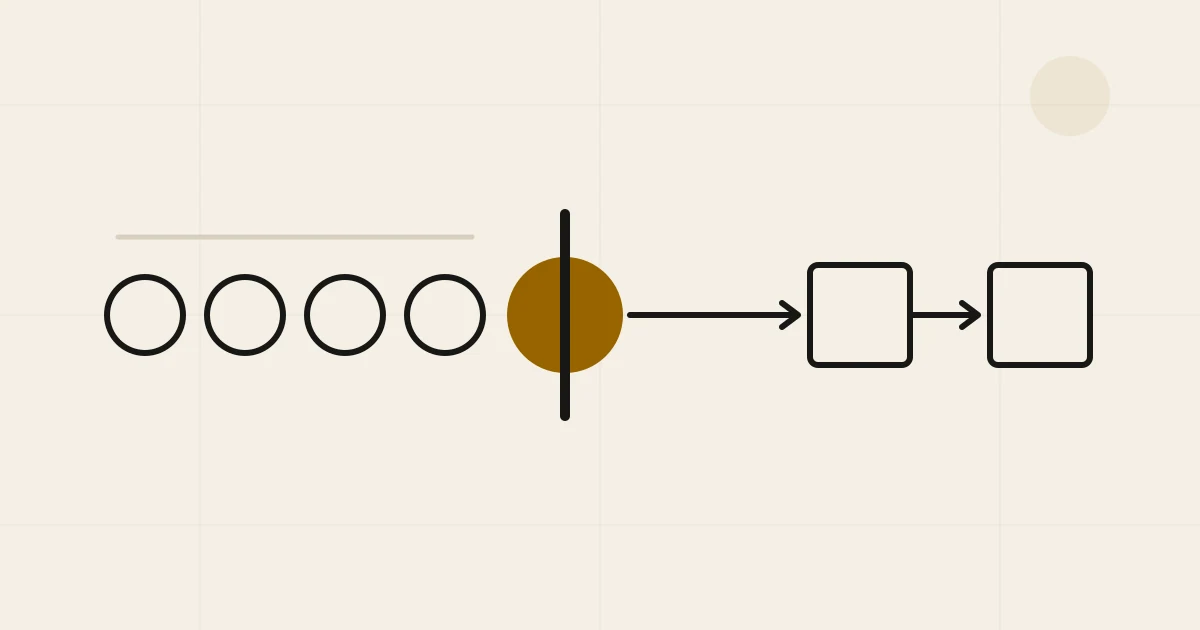
Consider a quotation that takes a manager eight minutes to approve but usually waits in the inbox for two days.
If you begin with the obvious AI question, “Can a model make the approval faster?”, you may build a convincing demo and save four minutes. The customer will barely notice. Almost all the delay happened while nobody was touching the quotation at all.
This is why we find a different question more useful when a business is looking for its first AI project: what waited last week? Once you follow one delayed item through the business, the right intervention may be AI. It may also be a clearer rule, an integration, or an approval that no longer needs to exist.
What waited last week?
If you ask a team for AI ideas, the answers will often mirror the products they have seen recently: a support chatbot, an agent that prepares proposals, a meeting assistant. These may all be useful, but the conversation is still organized around products.
Ask what waited last week and people describe the work instead. A quotation sat in a manager’s inbox. Customer notes had to be copied from messages into the CRM. The finance report could not begin until three spreadsheets agreed. Five colleagues asked the same specialist for help because the answer lived in that person’s head.
These are all queues, although they do not always look like one. Some are visible as unread messages or open tickets. Others hide in draft documents, unanswered questions, and work that people delay because they know it will take several conversations to finish.
Queueing theory has a formal language for this. Little’s Law connects the number of items in a stable system with how quickly work arrives and how long each item stays there. You do not need the formula to recognize the practical consequence: when work reaches a step faster than that step can deal with it, the backlog grows. Making some other part of the process more intelligent will not change that.
Follow one item, not the process everyone remembers
The next move is not an AI workshop. Pick one order, lead, report, customer request, or approval that was completed recently and reconstruct what actually happened.
The word “actually” matters. The official process may say that a sales representative fills in the CRM and sends a quotation for approval. The real version may include a WhatsApp message asking for a missing price, a spreadsheet used to check stock, and a manager who only reviews quotations at the end of the day. Those detours explain the waiting. A feature list usually removes them just when they become useful.
As you follow the item, keep a few questions in mind. What triggered each step? How long did someone work on it, and how long did it wait? What sent it backwards? Most importantly, who felt the consequence of the delay?
One example can mislead you, so we would repeat the trace with an ordinary case, an awkward one, and a recent failure. Three cases are not a study, but they are often enough to expose whether the process described in the meeting is the process the business runs. This is also why our software discovery starts with a real piece of work rather than a technical brief.
OpenAI’s use-case guidance makes a similar move from isolated task ideas toward department workflow mapping. That does not mean every department needs a large transformation map. It means a use case becomes more credible when you can point to the work it changes, the person who owns it, and the consequence you expect to improve.
A queue tells you where to look, not what to build
At this point it is tempting to treat the queue as proof that automation is needed. It is only proof that something is constraining the work. You still have to understand why.
Return to the quotation waiting for approval. Perhaps the manager is applying a rule that everyone already knows: orders below a certain discount are always approved. If so, ordinary code can apply that rule more reliably than a model. Perhaps the quotation keeps arriving with missing information, in which case clearer ownership or a required field may help more than automation. Perhaps the approval protects no meaningful decision anymore and should disappear completely.
AI becomes interesting when the constrained step involves language, varied documents, or judgment that is hard to express as a stable rule but can still be reviewed. A person may need to read a customer request, find the relevant details across several documents, compare them with written criteria, and prepare a response. That is different from calculating a discount or checking whether a required field is empty.
There are cases where the path itself cannot be known in advance and an agent may be justified. But that is a later design decision, not a useful starting assumption. Anthropic’s engineering guidance recommends beginning with the simplest approach that works, because extra autonomy also adds cost, latency, and new ways to fail. The more detailed workflow architecture guide covers that choice step by step.
Make the first test smaller than the proposed solution
Suppose a sales team is waiting for one specialist to review incoming requirements. The ambitious idea is an agent that qualifies the opportunity, updates the CRM, prepares a proposal, and follows up with the customer. It sounds impressive because it wraps the entire sales process into one demo.
A more useful first test would help with the work immediately before the specialist’s decision. The system could read the request, extract the details the specialist normally searches for, link those details to their sources, identify what is missing, and prepare a draft for review. The specialist still decides what the evidence means.
This narrower version gives you something concrete to learn. You can see which details were extracted correctly, how much preparation remains, and whether the queue becomes younger. When the specialist corrects the draft, that correction becomes a test case for the next version.
The outcome can still surprise you. If the model struggles, perhaps the documents or criteria are not ready. If the model performs well but the queue does not move, the specialist’s preparation time was not the constraint. Both findings are more valuable than a fluent prototype with no place in the real workflow.
Did the work move?
Before a pilot starts, decide what result would justify continuing. It does not have to be a financial result yet, but it should connect to the reason the queue mattered.
For the quotation example, that could mean less time from a complete request to an approved quote, fewer items returned for missing information, and fewer customers waiting beyond an agreed limit. For document intake, it could mean more complete cases and less time resolving exceptions. The measure should describe completed work, not simply activity inside the AI tool.
Prompt counts and weekly active users tell you whether people tried the system. They do not tell you whether the quotation reached the customer any sooner. If the pilot does change the workflow, the next question is how that operational change creates value; the AI ROI guide follows that evidence chain without turning every estimated hour into money.
Stopping is also a useful decision. The data may not be safe to use, the process may change too often to automate, or the possible failure may cost more than the expected improvement. Sometimes tracing the queue reveals that a meeting, approval, or duplicate entry can simply be removed. That is not a failed AI project. It is a problem solved before software made it more expensive.
Choose the interface after you understand the work
A chatbot is useful when someone needs to explore, clarify, or ask follow-up questions. It is less useful when the work needs a reliable record, a fixed approval, or a structured exception that the rest of the business can see. In those cases, a form, notification, or change inside an existing system may be the better interface.
So if you are looking for a first AI use case, bring one item that waited too long last week. Follow its actual path and find the step that set the pace. Only then decide whether the smallest sensible change is a clearer rule, connected software, a model, or no new technology at all.
If you would like a second pair of eyes, bring us that workflow trace. We can start there.
Common questions
Before you decide.
How should a small business choose its first AI use case?
Follow one recurring piece of work from request to outcome. Look for a step where work waits, gets re-entered, returns for correction, or depends on one person. Measure that constraint, then test the smallest intervention that can improve it.
What makes an AI use case worth testing?
A strong candidate happens often, affects meaningful work, has a visible owner, can be tested on representative examples, and has a consequence that can be measured.
Does a workflow bottleneck always need AI?
No. Removing an approval, clarifying a rule, connecting two systems, or adding ordinary automation is often simpler and more reliable. AI is useful when the constrained step involves language, unstructured information, or judgment that can be evaluated.
Should we start with an AI chatbot?
Only if conversation is genuinely the best interface for the constrained work. A chatbot should be a design choice, not the starting assumption.