
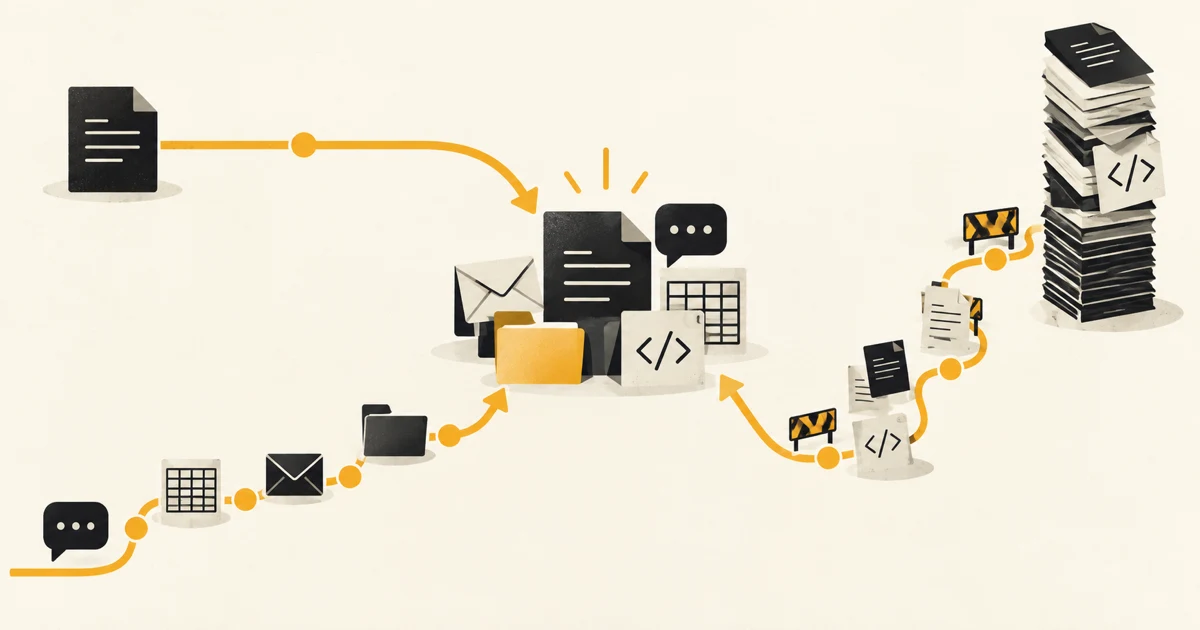
Test Microsoft 365 Copilot Business first when most of the evidence and finished work already lives in Microsoft 365. Put ChatGPT Business and Claude Team into the first trial when the workflow crosses a mixed set of tools. None is the default winner for every SME, because the missing file and awkward handoff won’t appear in a model benchmark.
Consider an operations lead preparing a weekly summary of customer complaints. The evidence sits in Outlook, a Teams channel, two Excel files and the support system. The useful assistant has to reach the permitted sources, show where its answer came from, and put the result where the team will use it. That last place may be back in Outlook rather than in another chat window.
Product details and US prices were checked against official vendor pages on 15 September 2026. Plans, prices and features can change.
We haven’t run all three products through the same Notus client workflow, so this is a guide from current product pages and workflow design rather than a head-to-head test.
Start with the evidence the assistant needs
Look at the last completed version of the workflow and trace where its evidence came from. When the answer is Outlook, Teams, SharePoint, OneDrive, Word and Excel, Microsoft has a head start. Copilot can use Microsoft Graph content that the signed-in employee is allowed to see, including documents, email, calendar and chats, then work inside the Microsoft 365 apps where the result is likely to end up. Microsoft’s privacy documentation explains the Graph grounding and permission boundary.
That advantage shrinks when the evidence is scattered across Google Drive, Slack, GitHub and a CRM. ChatGPT Business includes connections to Google Workspace, Microsoft 365, Slack and GitHub. Company Knowledge can search supported connected sources using the user’s existing source permissions, and custom apps built with MCP, the Model Context Protocol, can cover a system outside the standard list. OpenAI’s Company Knowledge guide sets out the plan, source and admin requirements.
Claude Team covers much of the same ground. Anthropic lists Google Drive, Gmail, Google Calendar, GitHub, Microsoft 365 and Slack connectors, enterprise search and remote MCP connectors. Its Team plan overview also includes Claude Code, Cowork, projects and knowledge bases. We’d include it when a product team moves between specifications, source documents and a codebase, or when an analyst needs to turn a collection of files into a working artifact.
Connectors don’t repair untidy access rights. If an employee can open a forgotten SharePoint site, Copilot may use it. If they can read a Drive folder through a connected account, ChatGPT or Claude may retrieve it too. Microsoft tells administrators to assess overshared sites before rollout, and its security and governance guide shows which Purview and SharePoint controls require additional licences. Permission clean-up belongs in the pilot, before an old access mistake becomes easier to search.
Notice where the answer has to land
Microsoft 365 Copilot still has the broadest direct route across Outlook, Excel, Word, PowerPoint and Teams. Availability varies by market and licence, and Teams features require a Teams licence, as the Microsoft pricing page notes. The practical advantage is fewer handoffs between the assistant and the apps already covered by the company’s tenant.
The other two products have moved closer to the work. ChatGPT Work can create or edit native Google Docs, Sheets and Slides through connected apps, and ChatGPT has an Excel add-in. It can also produce editable Microsoft Office files, though OpenAI says direct PowerPoint control isn’t part of its desktop Work flow at launch. The current Work guide is the useful page to check before assuming where a file can be edited.
Claude for Excel, PowerPoint and Word is now generally available on paid plans, with Outlook in beta. The add-ins can share context across open Office files. Claude’s Microsoft 365 page describes the current surfaces, while its connector documentation explains the read and write controls available to Team owners. Remote MCP brings one network catch: Anthropic reaches the server from its cloud, so a private service behind a firewall needs the documented setup.
The choice becomes clearer when we write one sentence with a real verb:
Every Friday, the sales manager reads the week’s Teams calls and CRM notes, checks the pipeline in Excel, then sends each regional lead a short action list in Outlook.
Microsoft 365 Copilot is still the first product we’d test for that version, but Claude now belongs in the same trial if the team already uses it for documents or analysis. Replace Teams with Slack, Excel with Google Sheets and the CRM with HubSpot, and ChatGPT Business or Claude Team deserves the first test. A good writing result still won’t tell us whether the connector and admin setup will work.
Perhaps that gives Microsoft too much credit. It’s only the first product to test, and if Copilot can’t retrieve the CRM notes or the sales manager still has to paste every action back into Outlook, its home advantage hasn’t survived the workflow.
The admin plan can overrule the user preference
All three vendors give a similar broad privacy answer for these work plans. OpenAI says it doesn’t train on ChatGPT Business workspace data by default. Microsoft says prompts, responses and data accessed through Graph aren’t used to train foundation models. Anthropic says it acts as a processor for Claude for Work data and doesn’t use that data for training unless the customer joins its Development Partner Program. The consumer plans have different terms. The exact wording is in the vendors’ OpenAI business data, Microsoft Copilot privacy and Anthropic commercial data pages.
Those promises don’t approve a workflow by themselves. They won’t tell us whether a customer contract allows the tool, whether retention fits the job, or whether the connected account can see too much, so we’d check those points against the company’s AI policy before opening the source.
The admin details are less alike. ChatGPT Business includes SAML single sign-on, multi-factor authentication, workspace roles, central billing and usage analytics. A standalone Business workspace doesn’t include SCIM directory provisioning or synchronized groups, and OpenAI reserves fine-grained role controls for Enterprise. OpenAI documents that boundary in its Business SSO guide.
Microsoft 365 Copilot uses the company’s existing Microsoft tenant, Entra identities and Graph permissions. Admins can manage rollout and connectors in Microsoft 365, while Purview and SharePoint controls can extend audit, retention and information protection according to the licences the company holds. Microsoft’s governance guide maps those controls to the required licences. For a small IT team that already runs them, this isn’t a minor convenience.
Claude Team lists single sign-on, domain capture, just-in-time provisioning, role-based permissions, spend controls and usage analytics. Anthropic’s current provisioning guide also shows SCIM for Team accounts. Enterprise adds custom roles, audit logs, custom retention, compliance and analytics APIs, customer-managed encryption keys and US-only inference. Anthropic’s Enterprise overview also explains its separate usage-based billing. Once a company needs those controls, a $20 Team seat is no longer the relevant comparison.
Whoever owns identity and offboarding needs to check the plan rather than the brand’s security page in isolation. How is a departing employee removed? Which connector may write data? What can an incident investigation see, and do conversations follow the company’s retention policy? If a required control lives in an Enterprise tier with a different billing model, that’s the price to compare.
Compare the starting bill, then price the workflow
The $1 gap between list prices won’t rescue a tool that leaves the weekly job half-finished. Shared projects and instructions also accumulate, so switching later costs more than cancelling the seats.
| Plan checked on 15 September 2026 | Published US starting price | Purchase boundary |
|---|---|---|
| ChatGPT Business Standard | $20 per user/month annually ($25 monthly) | 2 to 200 employees on the self-serve Business plan |
| Microsoft 365 Copilot Business | $21 per user/month annual list price ($18 first-year promotion through 31 December 2026) | Requires an eligible Microsoft 365 Business plan, up to 300 users |
| Claude Team Standard | $20 per user/month annually ($25 monthly) | 2 to 150 seats, supported locations only |
The figures come from the vendors’ current OpenAI Business pricing, Microsoft 365 Copilot pricing and Claude Team plan pages. Taxes, local prices and usage charges can differ, and both ChatGPT Business and Claude Team sell Premium seats for heavier users. Microsoft’s promotion applies to the first year of an annual commitment. We’d still ask for a quote before building a budget from this table.
The licence page omits the cost we’d price next. A cheap assistant that needs four uploads and two rounds of copy-and-paste for every case may cost more than the subscription difference. Training everybody before the company has one repeatable use gives us a large seat count and little evidence. The pilot should earn the wider bill.
Make the pilot difficult to fake
We’d pick five to ten people who already share a recurring piece of work, then give each product the same finished cases, source permissions and definition of an acceptable result. Run enough live cycles to encounter missing files, odd permissions and a rushed Friday afternoon. A week of tidy sample documents will flatter every vendor because the test has removed the reason for buying a connected work tool in the first place.
Record whether the assistant found the right evidence, whether a person could verify the answer, how much handling remained outside the tool, and whether the final work met the existing quality bar. We’d also note why somebody abandoned the assistant and completed the task by hand. That note often says more than a satisfaction survey.
This is the same reason we start AI work with a queue and write task-level data and review boundaries before a broad rollout. The product is ready to spread when a colleague can repeat the method without the pilot lead sitting beside them. If they can’t, we’d fix the method before buying the next batch of seats.
For an SME already committed to Microsoft 365, we’d need a clear workflow reason to introduce a separate AI workspace before testing Copilot. For a company with a mixed software estate, we’d give ChatGPT Business and Claude Team the first serious comparison. If neither can reach the system that holds the decisive record, the next step is a connector or a small custom workflow, not another afternoon comparing model answers. If that is the part holding up your trial, show us the bottleneck.
Common questions
Before you decide.
Which AI workspace is best for a small or medium-sized business?
Microsoft 365 Copilot Business is usually the shortest route when work already lives in Outlook, Teams, SharePoint, Word, and Excel. ChatGPT Business suits a mixed software estate and broad work across research, analysis, writing, and code. Claude Team is worth examining when long documents, shared projects, code, and Claude's connected-work tools match the pilot workflow. Test the real workflow before making a company-wide choice.
Do ChatGPT Business, Microsoft 365 Copilot, and Claude Team train on company data?
Their current commercial documentation says business prompts and organizational data are not used to train foundation models by default. That does not make every use safe. The company still needs approved accounts, source permissions, connector review, retention rules, and task-level guidance.
How much do the three business AI plans cost?
As checked on 15 September 2026, standard ChatGPT Business and Claude Team seats both start at US$20 per user per month with annual billing. Microsoft lists its Copilot Business add-on at US$21, with a first-year US$18 promotion through 31 December 2026, and requires an eligible Microsoft 365 Business plan. Regional prices, taxes, usage, and enterprise terms vary.
Should an SME give every employee an AI license at once?
Usually no. Start with a group that shares one recurring workflow, connect only the sources that workflow needs, and compare completed work rather than isolated prompts. Expand when the method, review boundary, owner, and result are clear.